Smart, structured batch renaming
Digital Strategy Consulting
✨ Key Features
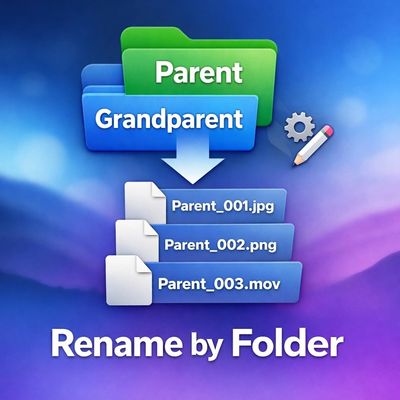
📂 Folder-Based Naming
Automatically use the Parent or Grandparent folder name as the filename prefix, enhancing your file organization.
🔢 Smart Auto-Numbering
Continues numbering from existing files in the folder (e.g. _001, _002, _003…), avoiding overwrites and ensuring seamless batch renaming.
⚡ Batch Rename in One Click
Select files in Finder → run the Quick Action → done, simplifying your workflow.
🧠 Intelligent Conflict Handling
Skips identical names safely and reports only the files that fail, streamlining your renaming process.
🔁 Alphabetical Order Guaranteed
Files are renamed in sorted order for consistent results, making file organization a breeze.
🛑 Optional No-Prefix Mode
Rename files using numbers only — clean and minimal, perfect for a straightforward approach.
🛠 How It Works
Select one or more files in Finder
Right-click → Quick Actions → Rename by Folder
Choose your naming style:
Parent Folder
Grandparent Folder
None (numbers only)
Files are instantly renamed with zero risk of duplicates, facilitating efficient batch renaming.
💡 Example
Folder Structure
Projects
└─ Client_A
└─ Exports
├─ video.mov
├─ audio.wav
Result
Exports_001.mov
Exports_002.wav
Already existing files?
The tool automatically continues from the highest number found, ensuring effective file organization.
🎯 Perfect For
🎬 Video editors (Final Cut Pro, Premiere, Resolve)
🎧 Audio producers & podcasters
📸 Photographers & designers
🗂 File organization nerds (you know who you are 😄)
🚀 Why You’ll Love It
Because filenames should reflect where they came from, not chaos. Rename by Folder brings structure, clarity, and speed to your workflow — the Mac way.